
Wedding speech recordings
Can a Noisy Wedding Speech Recording Be Saved?
A guide to assessing an existing wedding toast obscured by music, guests or recording damage.
Before cleanup
Priorities for a noisy wedding speech recording
- Keep the original wedding recording and ask about other recordings of the same speech.
- Test a short speech passage before committing to treatment of the full event.
- Preserve meaningful reactions, and keep words that remain unclear unresolved.
What can be saved in a noisy wedding speech recording?
A noisy wedding speech recording can sometimes become easier to understand, but complete recovery depends on the speech actually captured. Music, chatter or applause may be reduced; words buried beyond recognition, severely distorted or never recorded may remain unresolved.
The useful goal is often a speech you can follow while still recognizing the person and the occasion. A little room noise can be an acceptable tradeoff if the alternative removes a quiet joke, a shaky breath or the end of a sentence. No wedding recording was tested for this guide, so the improvement possible for your file is unverified.

Preserve the original wedding speech recording before cleanup
Keep the original wedding speech recording unchanged and make a separate working copy for cleanup. Save the full video or audio file even if you only want to improve a short toast.
Ask for the original files if the version you have came through a messaging app or an edited highlight film. Keep every available version; do not discard the only copy while waiting for something better. Label processed copies so you can return to the source without wondering which file has already been altered.
Find other recordings of the same wedding speech
Before filtering a wedding speech, ask whether another recording already contains a clearer version of the same moment. A different microphone or camera position may have captured words that are difficult to hear in your copy; extra tracks are worth checking, but may not exist.
Ask the people who recorded the event about:
- The videographer’s original camera audio and separate microphone recordings.
- Any recording the DJ or venue actually saved from the sound system.
- Guest phone videos that include the difficult sentence.
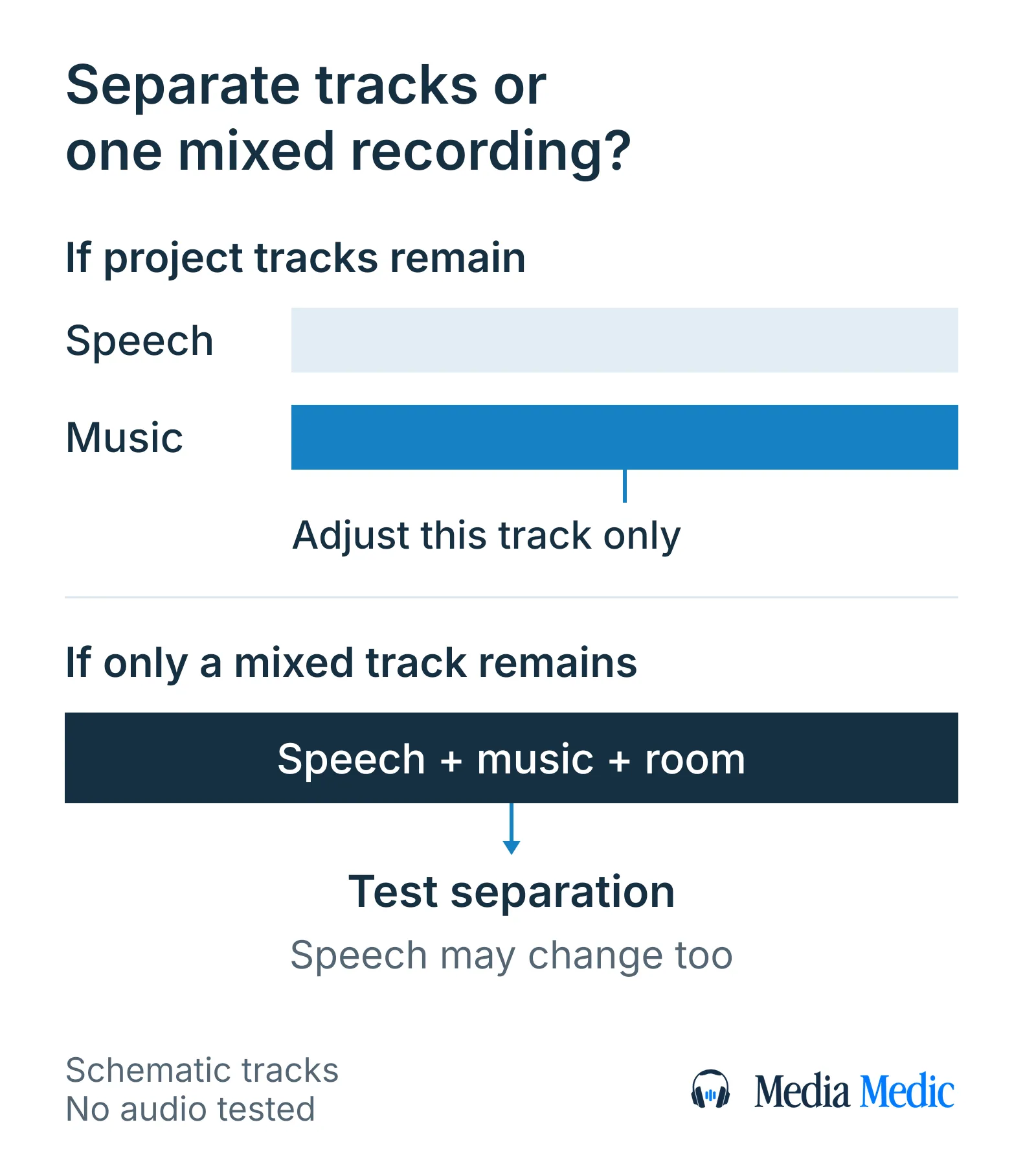
- The editor’s project, if music was added after the wedding and might still be on a separate track.
A finished film with music added during editing is a different starting point from a microphone recording that captured music in the room. If the editor still has separate speech and music tracks, changing their balance avoids trying to separate a mixture. Keep each source identifiable; a guest’s recording can supply the authentic moment, while a later retelling is a new performance.
Check whether one wedding audio channel is clearer
If the wedding recording has left and right audio channels, listen to each separately before combining them. A channel is one component of the recorded audio; one side may have a better balance of speech and room sound.
Use a copy when testing a clearer channel, and retain the full original file. Splitting left and right does not create separate speakers or uncover a missing microphone track: both channels may contain the same mixture. Choose by the complete speech passage, including quieter phrases, rather than by which side sounds louder.
Why wedding speech cleanup depends on the interfering sound
Wedding speech cleanup depends on whether the interference is steady noise, another voice, music or damage within the recorded voice itself. A method that reduces a constant hum does not automatically distinguish the person giving the toast from a guest speaking nearby.
Listen to a difficult sentence and a pause to note when the unwanted sound occurs. Describe what you hear without diagnosing it from a single symptom; more than one problem may be present in the same recording.
Wedding speech interference: what each cleanup test can change
In a wedding speech recording, steady-noise reduction targets consistent hiss, speech isolation attempts to reduce non-speech sound, and speaker separation attempts to distinguish competing voices. Distorted peaks and room echo need their own assessment; none of these tests guarantees that the speech will become clear.
The wanted speaker is the person giving the speech. Distortion from overloaded peaks is often called clipping; room echo is reflected sound recorded after the direct voice.
| Sound in the wedding recording | First question to test | Limit to keep in view |
|---|---|---|
| Constant hiss or fan sound | Can modest steady-noise reduction help? | Quiet speech can also be damaged. |
| Music captured in the room | Does speech isolation improve the speech? | Separation may leave music or alter the voice. |
| Guests talking over the toast | Can the wanted speaker be distinguished? | Another voice is speech too; general enhancement may retain both. |
| Harsh, overloaded voice peaks | Is distortion repair worth testing? | Noise reduction alone does not repair overloaded audio. |
| Room echo blurring syllables | Does reducing the reflected sound help? | Lower background noise alone may leave the blur. |
These faults can occur together, so one successful test does not establish that the whole speech is repaired.
Test steady noise in a wedding speech with Audacity
A noise-profile test can help with fairly steady hiss or hum in a wedding speech, but it is a poor match for changing audience noise. A noise profile is a sample of unwanted sound used to guide reduction.
In Audacity, Noise Reduction is in the Effect menu’s Noise Removal and Repair group. Use this short test:
- Open a separate copy of the original wedding recording, leaving the original unchanged. Select a moment containing only the steady unwanted sound; leave speech out of the sample. Use Get Noise Profile.
- Select a short speech passage, reopen Noise Reduction and preview a low reduction amount. Do not start with the entire event.
- Select Residue and use Preview to hear the sound the effect would remove. Back off if recognizable speech is included. Return to Reduce and preview the speech again before applying the effect to the test passage.
- Compare the processed passage with the original. Undo a test that makes words harder to follow, even if the hiss is quieter. Save any result you keep as a separately named copy.
No single setting suits every file. If there is no passage containing only the steady unwanted sound, do not use a speech-filled pause or a burst of applause as a substitute noise profile.
Can speech enhancement separate wedding speech from music and guests?
Speech enhancement can attempt to reduce music and other background sound around a wedding speech, but it cannot guarantee clean separation. Results depend on how audible the speech is in the original recording and how strongly other sounds overlap it.
Speech isolation means separating speech from other sound. Speaker separation means trying to distinguish individual voices. Those are different jobs: a speech enhancer may keep both the toast and a guest talking nearby because both are speech.
Test a short passage that includes the hardest overlap as well as a clear phrase from the same speaker. Check quiet word endings and the speaker’s natural voice, rather than accepting a smooth background as proof of success. Do not buy a tool or commission a full treatment on the assumption that its noise-removal label proves it can solve your particular recording.
Keep wedding laughter and applause when they matter
Wedding laughter and applause can be part of the memory you want to preserve. Decide which reactions belong in your listening copy before trying to make the background silent.
A laugh after a punchline is different from a shout covering the punchline. The first may be worth keeping; the second may call for a localized cleanup test or another recording of that moment. Tell an editor which reactions you value and which sounds prevent you from following the speech.
Requesting less processing during meaningful reactions is an editorial choice, not a promise that speech and applause can always be separated. Keep an untouched event recording alongside any listening copy so the full atmosphere remains available.
How to judge a cleaned wedding speech recording
Judge a cleaned wedding speech by whether the words are easier to follow while the speaker still sounds recognizable. Compare the same sentence in the original and processed versions at similar comfortable listening levels; a louder version can otherwise seem better simply because it is louder.
Check more than the loudest line:
- Listen to the quiet opening, emotional pauses and ends of sentences.
- Watch for missing syllables or new watery, metallic or robotic textures.
- Check whether meaningful laughter and applause survive where you want them.
- Mark words you still cannot confidently understand; an automatic transcript does not settle them.
For a video, review the exported listening copy with the picture. Confirm that lips and sound remain aligned at the beginning and later in the speech, and that the export includes the intended full passage. Keep a version you can comfortably revisit, even if it contains some remaining noise.
Can missing wedding speech words be recreated?
Words that were never captured cannot be recovered as the original wedding performance. A later rerecording or an artificially recreated voice produces new audio; it does not establish what the original recording contained.
If a sentence remains unclear after cleanup, check another contemporaneous recording before filling the gap. A written speech may help you understand the intended message, but the person may have changed the wording on the day. Keep that distinction visible in any captions or transcript.
A new reading can still have personal value if everyone understands what it is. Label it as recorded later and retain the original event audio separately. For an authentic record of the speech, leave uncertain words uncertain rather than making a plausible reconstruction sound confirmed.
Prepare a wedding speech recording for a free file review
To prepare a wedding speech recording for review, gather the original file if available, mark the difficult timestamps and describe the speaker you want to follow, the reactions you want to keep and any other recordings or processed versions. Media Medic offers a free file review; restoration is separate paid work, and improvement cannot be guaranteed.
A file-specific review is useful when the wedding speech remains hard to follow or cleanup starts damaging the voice. Mention other camera, microphone or guest recordings and any previous processing. If only an edited or cleaned copy remains, say so. Describe an unclear passage by its timestamp and the part of the speech, rather than supplying a sentence you hope is there.
Request a free file review to discuss whether the captured wedding speech could become more useful to listen to. Ask what improvement is realistic and what is likely to remain uncertain before commissioning restoration.
Technical references for wedding speech cleanup
- Audacity: Noise Reduction https://manual.audacityteam.org/man/noise_reduction.html
- Audacity: splitting and joining stereo tracks https://manual.audacityteam.org/man/splitting_and_joining_stereo_tracks.html
- Audacity: Clip Fix https://manual.audacityteam.org/man/clip_fix.html
- Adobe Podcast: Enhance Speech questions https://helpx.adobe.com/podcast/adobe-podcast-faq.html
- Google Research: VoiceFilter targeted voice separation https://research.google/pubs/voicefilter-targeted-voice-separation-by-speaker-conditioned-spectrogram-masking/